XYLEX · Teaching tool
Keep a record of the step where a learner gets stuck.
XYLEX turns HowHow Classroom’s teaching approach into a tool. Children write as usual; AI suggests possible difficulties, and the teacher reviews them before choosing the next practice.
 拍懂 XYLEX
One question, one learning difficulty
A possible difficulty is a specific step, such as misreading the question or forgetting a unit after calculating correctly. It is a suggestion for teacher review.
- Complete the workThe child answers on paper as usual.
- Suggest a possible difficultyAI proposes a step where the child may be stuck. This is a candidate for review, not a verdict.
- Teacher reviewThe teacher confirms, corrects or rejects it, including unclear handwriting or an excessive diagnosis.
- Targeted practiceA suitable question addresses the step the teacher confirmed.
- Check again after a few daysA new question checks whether the same difficulty remains.
Synthetic example — not a real learner’s answer
12 × 4 = 48: the calculation is correct, but the unit is missing.
Possible difficulty: “no unit in the answer” → teacher confirmation → watch the unit in the next question. AI may be wrong, so the teacher decides.
Actual app screens
The app interface shown here is in Chinese. The worksheet images have been checked for identifiable student information.
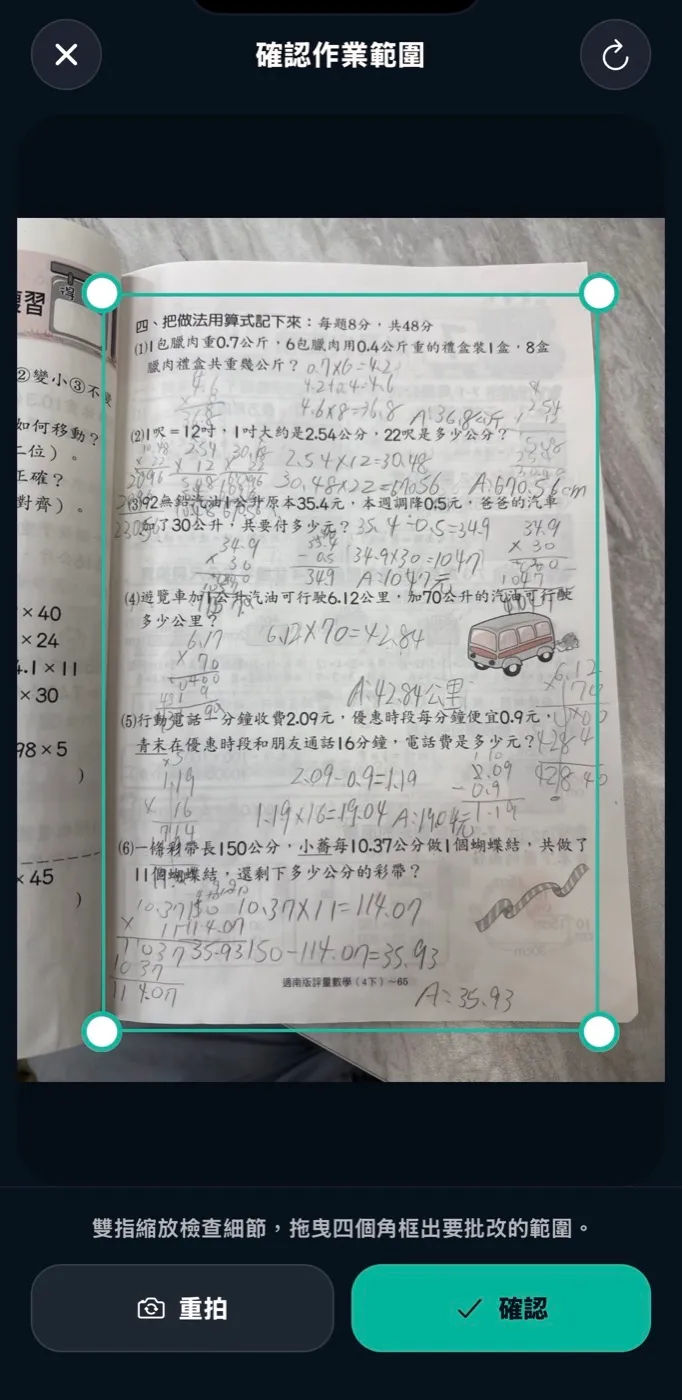
Capture the work
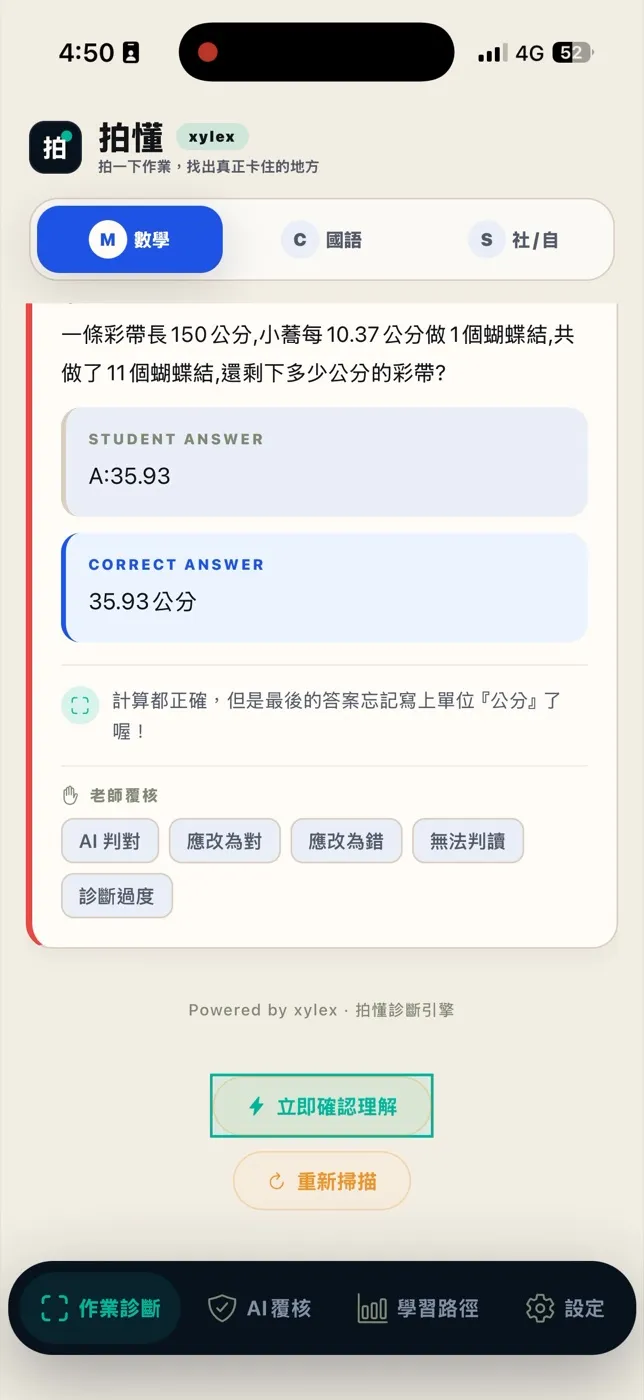
The teacher reviews the suggestion
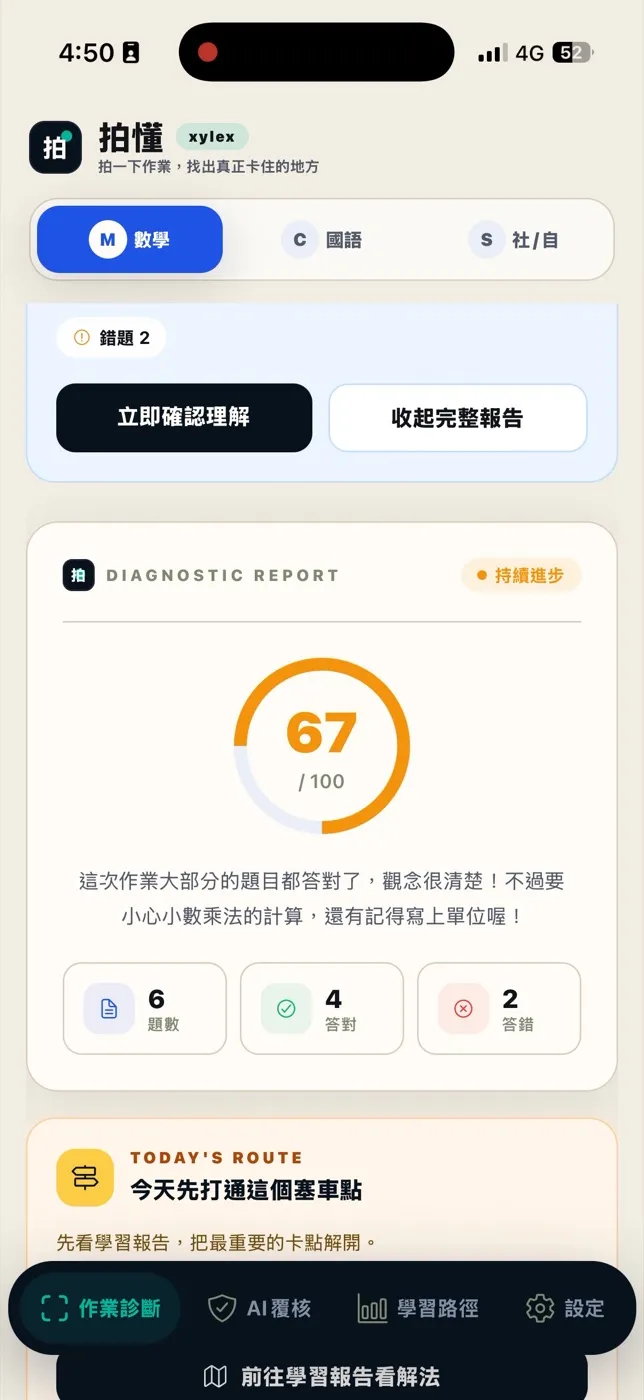
A report for this piece of work
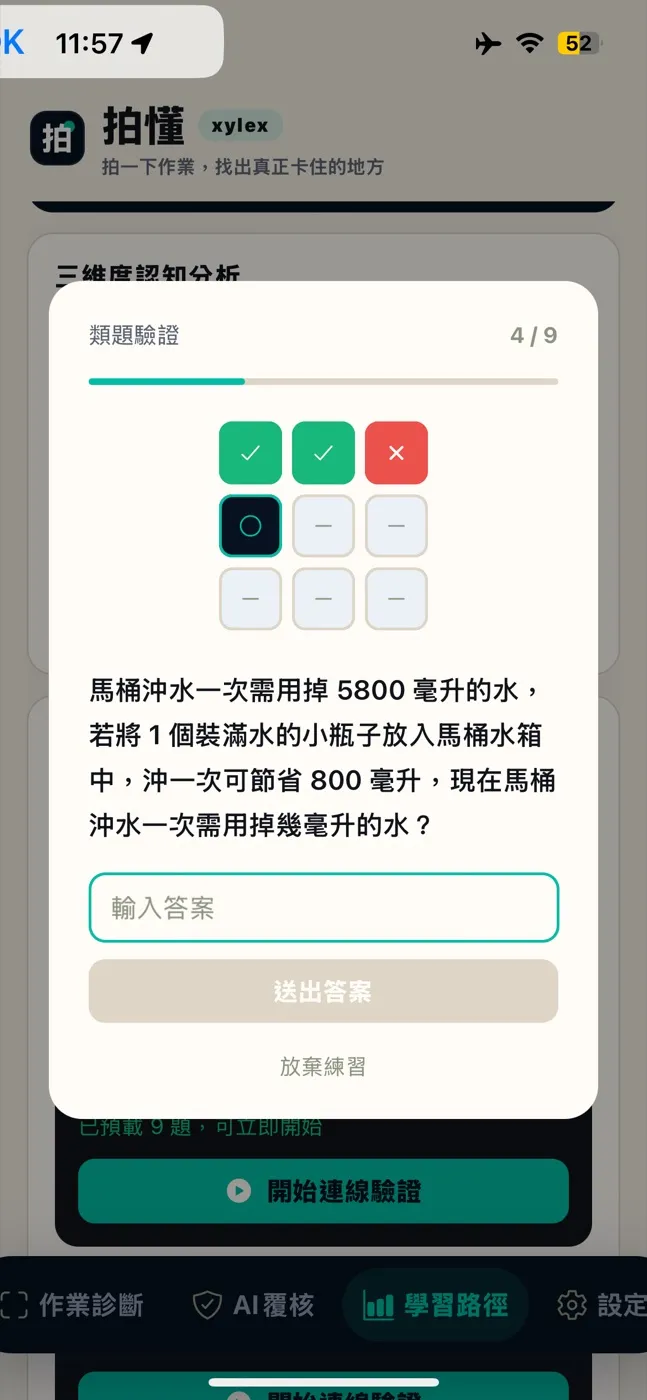
Try a new, related question
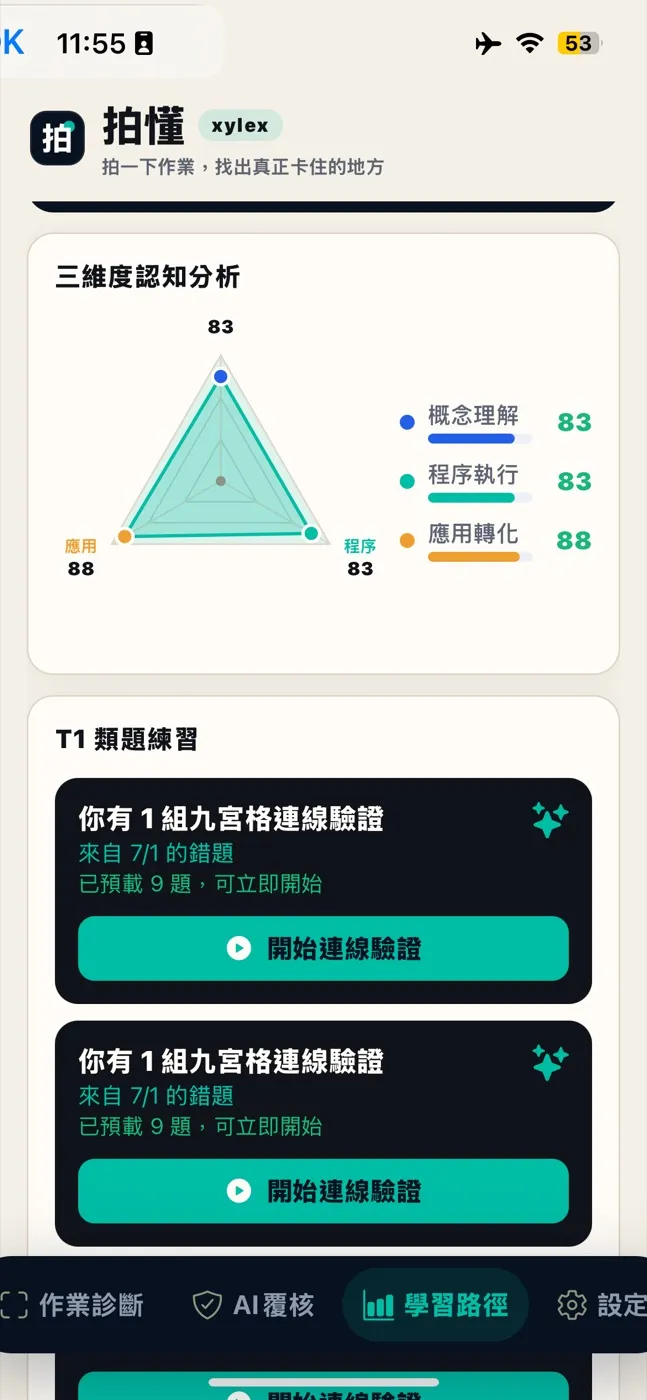
Follow-up practice
AI suggests; the teacher decides.
Handwriting recognition can misread work, and AI can overdiagnose. Teachers can confirm or correct a suggestion, or reject a result that is unclear or goes too far.
XYLEX does not write answers for children or make the final grading decision. It helps the teacher focus on the step that needs attention.
What is available now?
XYLEX is already used in HowHow Classroom’s own lessons: the child photographs homework, the teacher confirms the difficulty, and related practice follows. Homework diagnosis is included in monthly and term lesson plans.
Availability and eligibility for schools and learning centres: 【TBC: XYLEX feature, subject and eligibility scope】
Product demonstration
The flow diagram and missing-unit example on this site are synthetic examples. The app screenshots above are real.
See the XYLEX demo(opens in a new tab)Evidence and limitations
- More than 10,000 reviewed questions
- Each record represents one question from daily homework at the founder’s own learning centre, as of October 2026. This measures use, not accuracy or effectiveness.
- Average maths score: 62.6 → 75.8 (+13.2)
- Five students had paired midterm and final scores; all five improved. This is an early observation with a small sample and no control group. The change cannot be attributed to the product.
Where to go next
For parents
XYLEX follows the same teacher-led approach used in HowHow Classroom’s lessons.
How lessons workFor schools and learning centres
Institutional enquiries have their own contact route, separate from family lesson enquiries.
Institutional partnerships